
In order to change your password follow the steps outlined in this article.
Process
- Navigate to Management - Common - Users
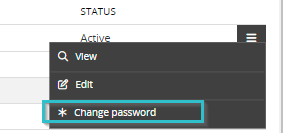
- Click on the hamburger icon on the right side next to your username
- Choose for * Change password
- Submit your old password, new password and confirm your new password
- Hit Save
Comments
0 comments
Please sign in to leave a comment.