
How do we obtain (your) Fuel Consumption data ?
Fuel Consumption (Fuel Use) data is available on the CAN-bus of your vehicle(s). You would need our device installed with a CAN-bus- (light vehicles) or FMS-(heavy vehicles) connection to obtain this data. We connect our device to the CAN-bus via CAN-Click, via the OEM-interface module, or directly on the CAN-bus.
Where to find it?
1. Open the FleetGO website.
2. Navigate to your trip overview: Production > Trips.
3. Click at settings: 
4. Mark 'Fuel use' and click OK.
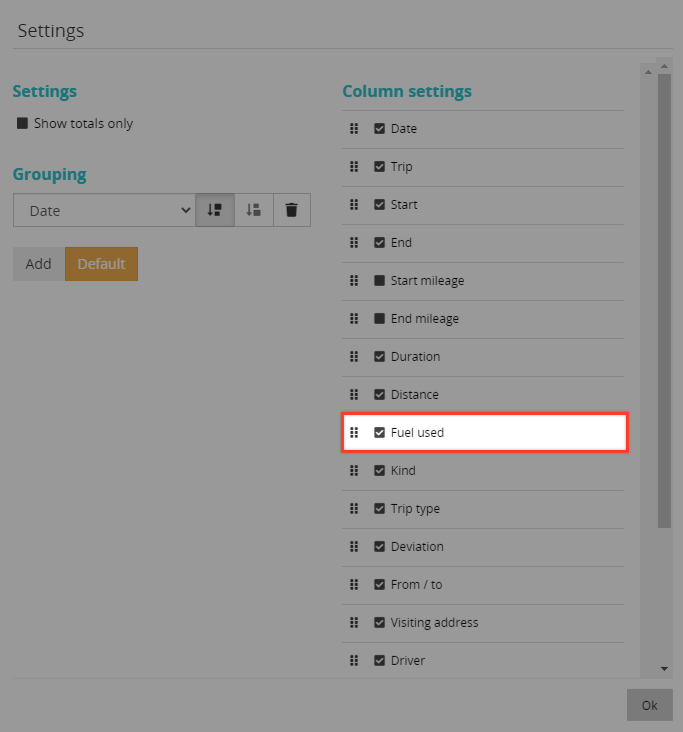
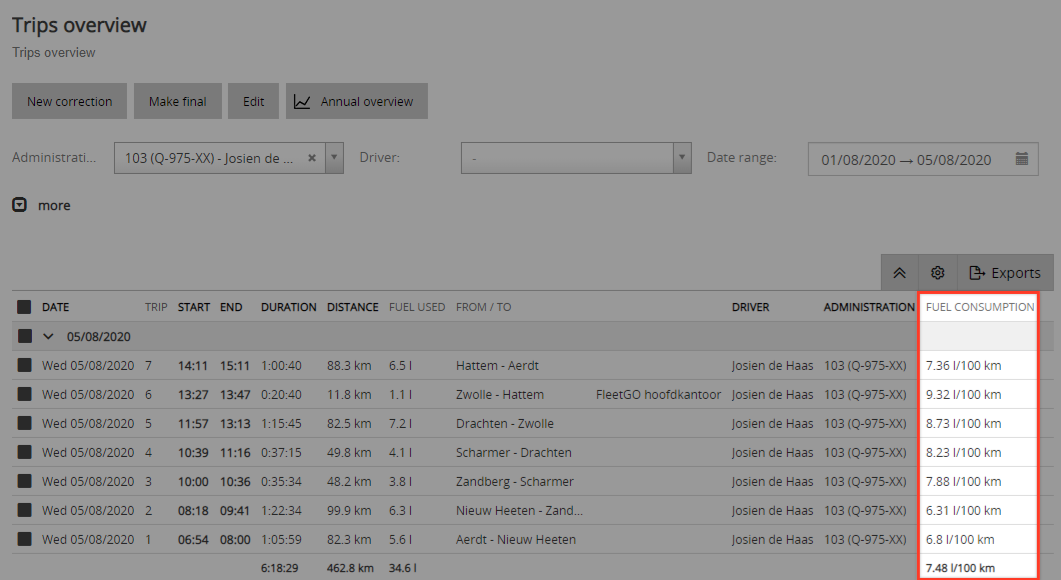
5. If the vehicle data is available the fuel use is added in the table:
Dashboard overview
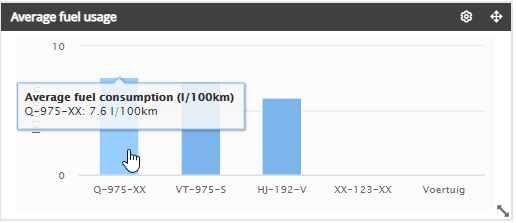
Another option to view Fuel consumption is to navigate to: Dashboard > Top 10:
How is Fuel Use abstracted from the vehicle trips?
Total Fuel Use is adding up all fuel used at each Trip of all Trips, including the ones less than 3 km. The numbers are straight from vehicle’s motormanagement data, without additional calculation. Each data-record shows a Life time Total Fuel Used digit, consequently increasing with each new trip-record.
Average fuel use
The Average Fuel Use is the amount of kilometers divided by Total Fuel Use (in L) of that Trip(s).
Carbon Dioxide Emissions
Het CO2 Emissions is simply calculated by a generic predetermined factor of each specific fuel, in grams:
- Gasoline CO2 Factor = 2420;
- Diesel CO2 Factor = 2640;
- Gas CO2 Factor = 1800;
- Electricity CO2 Factor = 0;
- Unknown CO2 Factor = 2640;
Important: The Fuel Use data is best used by customers who analyse trends in fuel consumption and act upon that towards driver behaviour and/or fleet management changes.
Extra: Please be aware that Fuel Use numbers from the vehicle are generated by a special OEM-formula. Each OEM uses its own formula. You can expect always a difference between with OEM numbers and for instance (flawless) tank transactions.
Comments
6 comments
Hi @...,
It might be good to provide an example of the calculation Carbon Dioxide Emissions in your article. Just for reference.
Let me know if you need help with that.
Thanks!
Calculation example:
Fuel consumption of 20 liters of diesel = 20* 2640 gram CO2 =52,8 kg CO2
Fuel consumption of 340 liters of gasoline = 540*2420 gram CO2 = 1,3 ton kg CO2
Note that the above mentioned predetermined factors only cover TTW ('tank tot wheel') emissions. If one aims to calculate the total CO2 emission of the entire chain of f.i. Diesel, this is called WTW ('well-to-wheel') and the CO2 emission factor is higher c.q. 3262.
An overview of CO2 emission factors you can find here https://www.co2emissiefactoren.nl/lijst-emissiefactoren/
Thanks @.... Great example of ROT - React on Tagging....or some other smoother acronym still to be decided
@...
One more remark to this: how does FleetGO decide which predetermined factor to use for which vehicle? Meaning: how does FleetGO know what fuel type (gasoline, diesel) is used? We have the refuelings option, to import refueling including the fuel type but there's also a fuel type field on the Administration level.
What I do know:
How does this work on the new GD analysis pages?
Tagging @... for answering this question.
Hi @... / @...
It does seem that the new GD pages also use these factors (fueltype on administration level + predetermined factors per fuel type) in which case the calculation can be made as follows:
Please sign in to leave a comment.